The AI videos taking over your feed — made from scratch, openly AI.
Hyperrealistic people that talk. Motion-control scenes. Cinematic shots that never existed. The complete, connected workflow behind all of it — in one guide.
From zero to expert — the last AI-video guide you’ll need. Everything to make hyperreal AI video end to end, current for life.
Get the guideThe whole range — not one trick.
Everything you’ve watched go viral, in one connected system you run yourself.
Hyperrealistic people
Build a person who reads as real — skin, eyes, light past the “AI render” line. The face that makes people ask if it’s AI.
Motion control & dynamics
Camera moves, natural body and head motion, believable idle life — the parts that snap a still into something alive without tipping into uncanny.
Voice that matches
Design or clone a voice that fits the face, with the breath and cadence that make it sound like a person talking to camera.
Talking & lip-sync
Drive the mouth and micro-expressions from a locked frame so it tracks every word. This is the step that crosses the uncanny line.
Cinematic scenes
Shots that never existed — location, lighting, and mood built from a prompt, in the look you’re after.
Direct & ship it
Script, orchestrate and publish the whole thing as a repeatable production line — openly AI, as the hook.
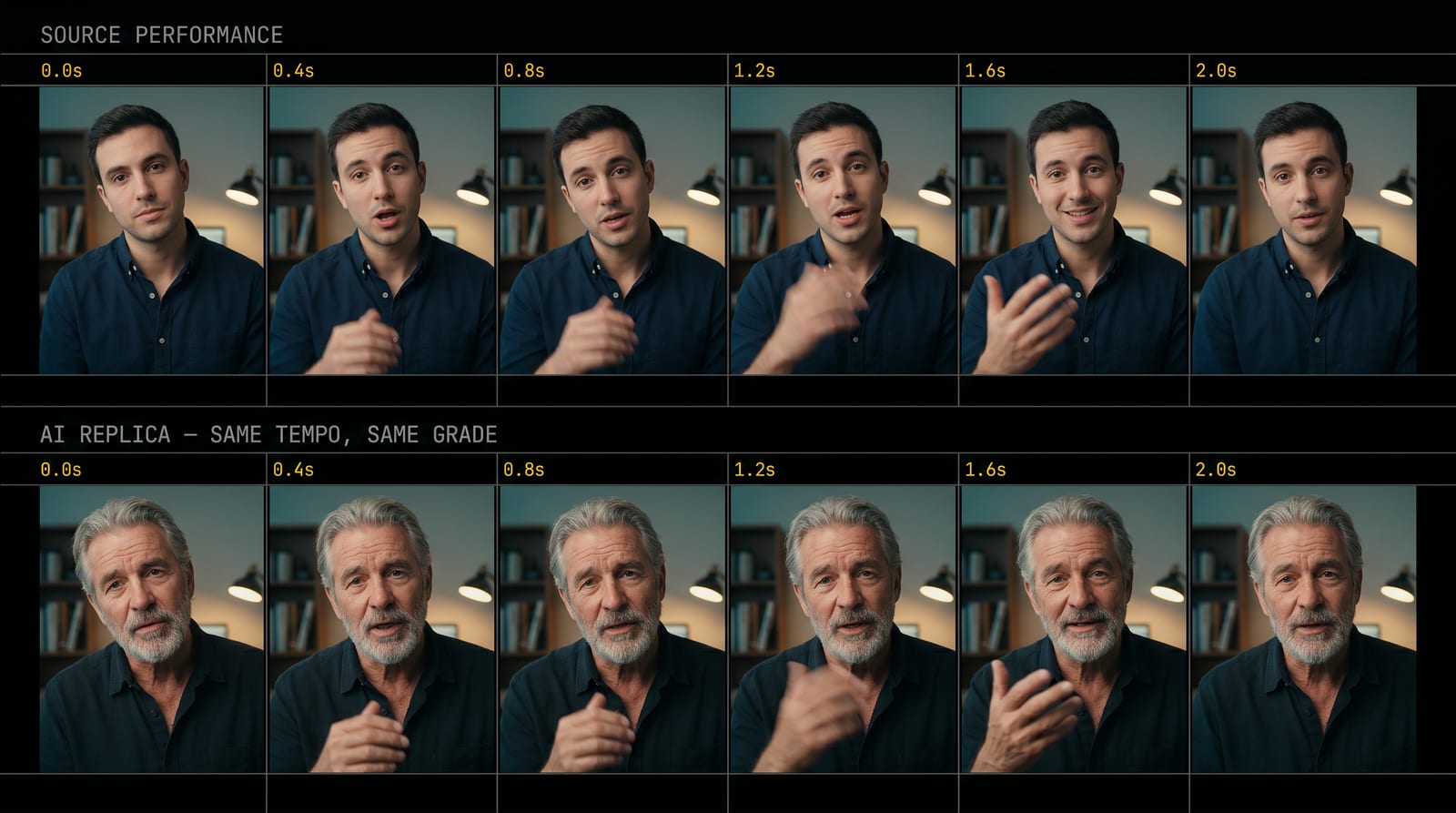
From zero to expert — one module at a time.
Built to take you from never-touched-AI to directing every format. In order, each module standing on the last.
Your first hyperreal person
Paste your first prompt, get a face that passes as real — then give it a voice and make it talk. Day one is copy-paste. No experience needed.
Every viral format
Motion transfer, cinematic scenes, the faceless brand, product films — the full range, one format at a time.
Your production line
The Prompt Vault + Claude Code and JSON: one locked character, one idea, many videos.
Operate like a studio
Hooks, the content machine, publishing openly AI — the repeatable loop we run ourselves.
The exact formats filling feeds by the millions right now — hooks, talking reels, product films. You leave making every one of them yourself, for whatever you run.
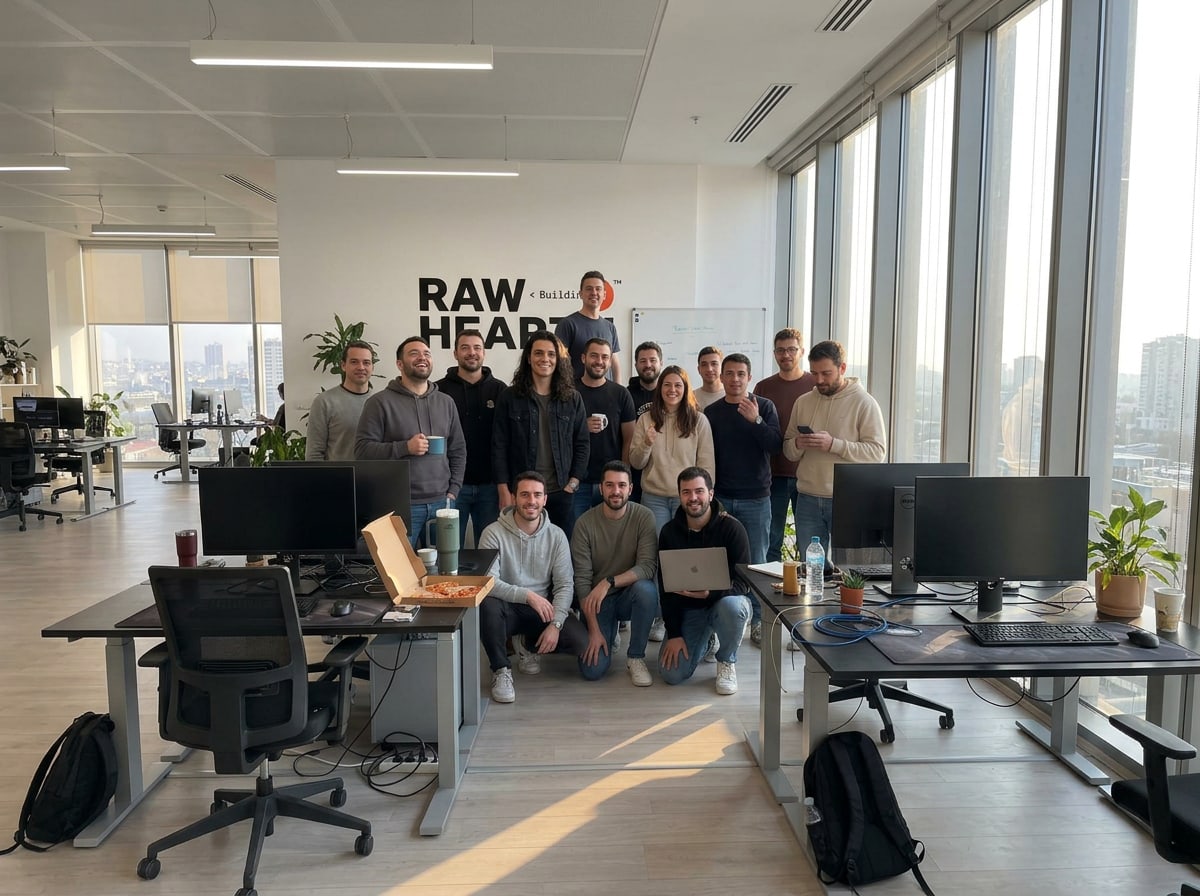
This is how we use AI for real brands, every day.
RawHearth makes AI video, marketing, and systems automation for real brands. This guide is that same playbook — the methods we run and the new ones we keep finding, written down.

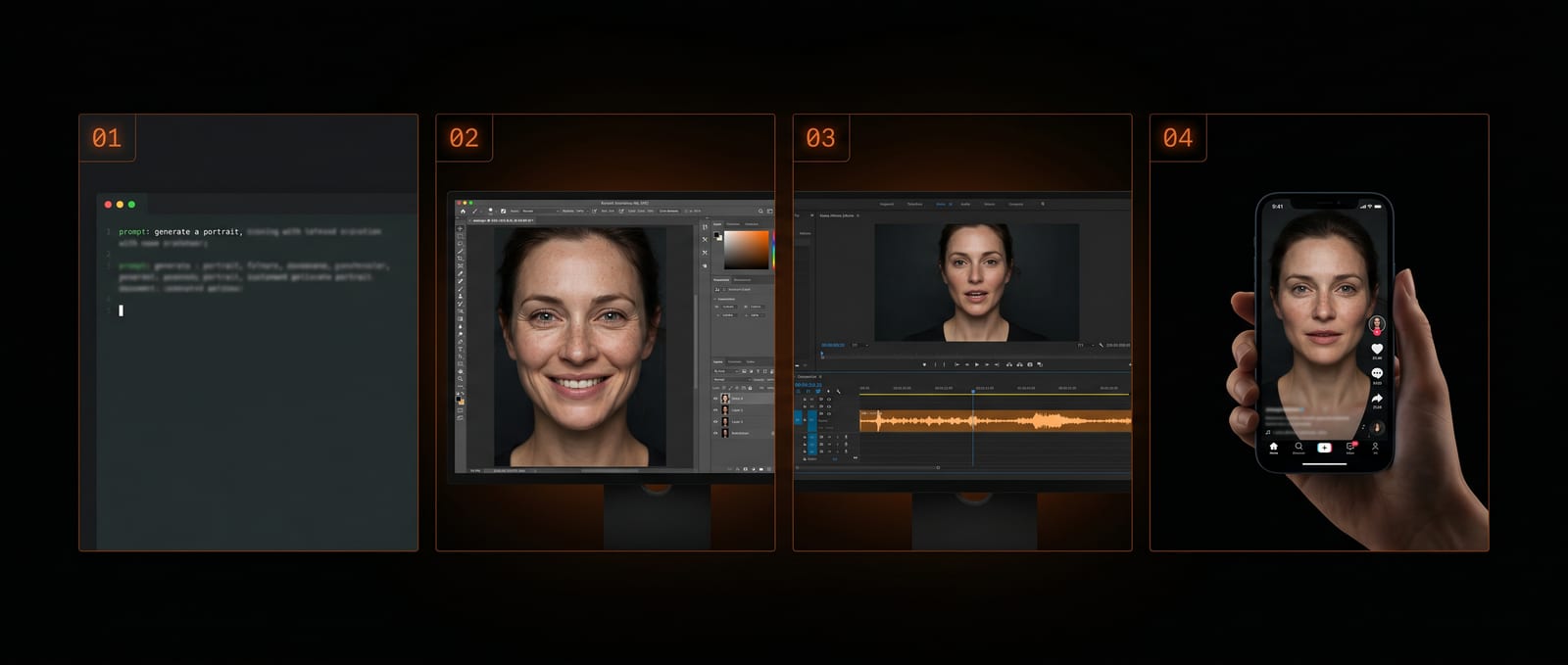
Four connected stages. One believable take.
The connective tissue every free tutorial leaves out — the exact handoffs that make the tools line up.
Build the visual
Engineer the hyperrealistic person or scene — and lock the clean frame everything downstream is driven from.
Give it a voice
Design or clone the voice that matches, with real breath and rhythm.
Make it move & talk
Drive motion, lip-sync and micro-expression from the locked frame so it lines up into one believable take.
Direct & ship
Script, orchestrate and publish the whole chain — repeatably, openly AI.
Every model that matters — on the page.
No vague “powerful AI.” The whole landscape, grouped by the job each tool does — and inside, exactly when to reach for which.
You’re never locked to one tool. Models change monthly — the guide teaches the method, then maps it onto whatever’s strongest right now.
One idea in. A wall of videos out.
You get the actual workflow we run — and you learn to build your own.
 1 inputMany videos
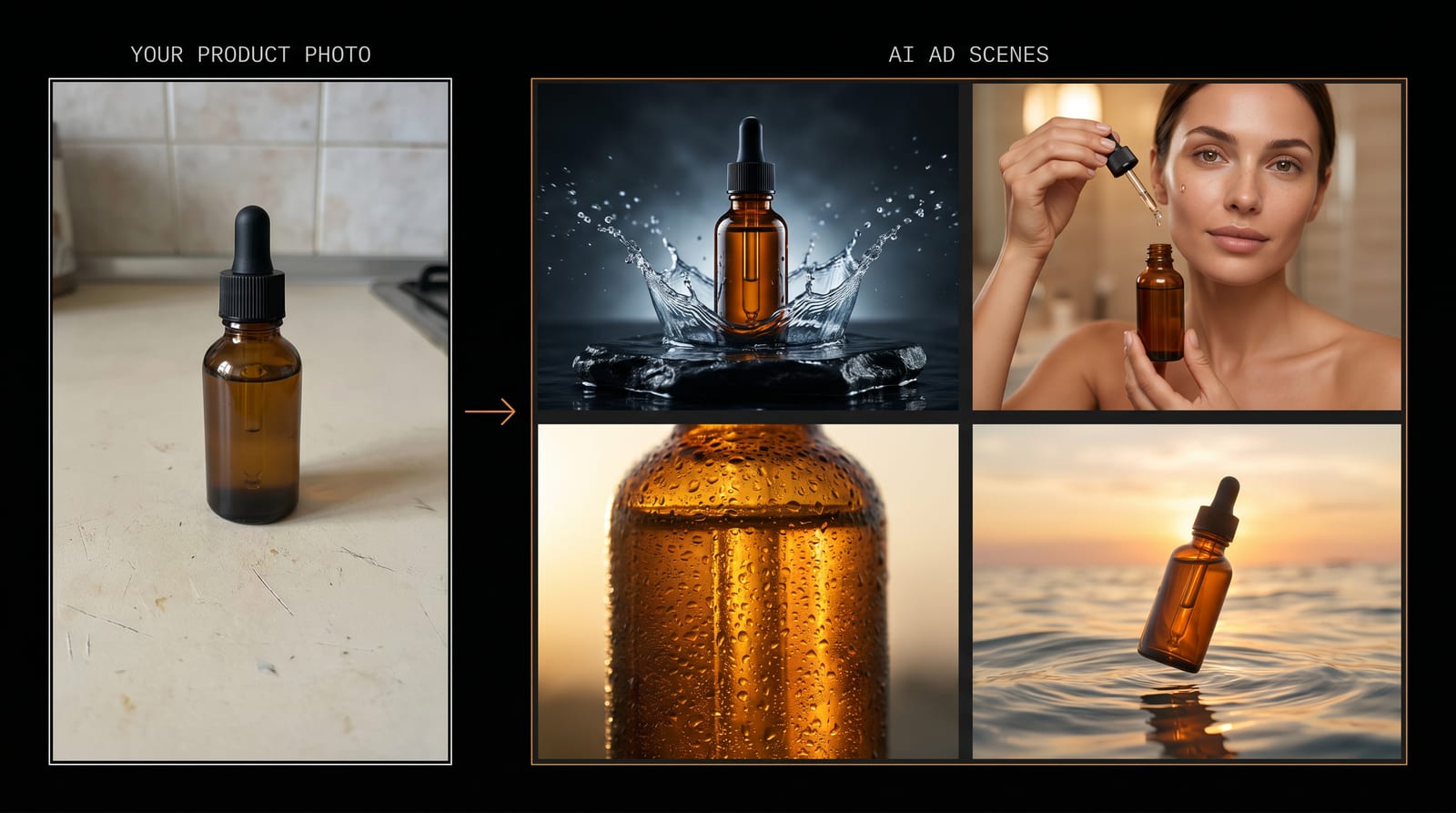
One photo of your product. A whole campaign of scenes.
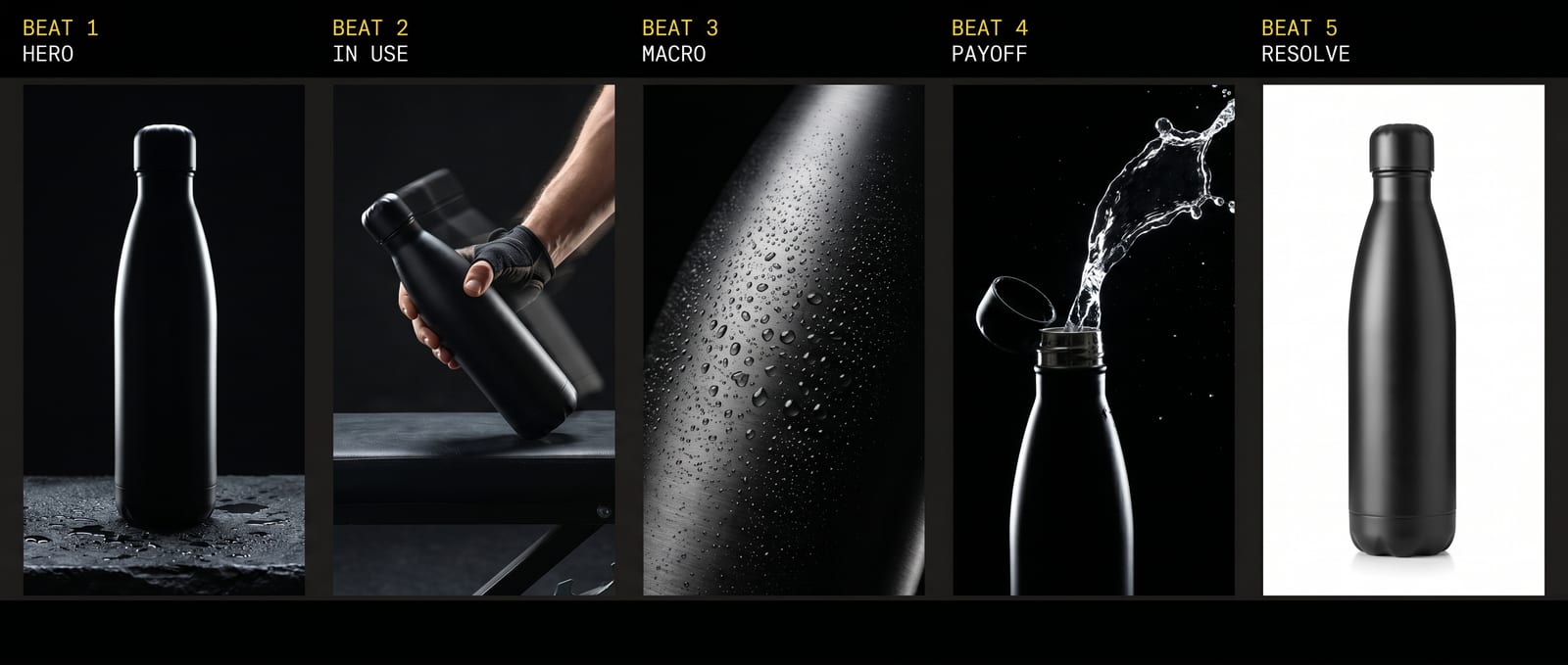
Take one plain photo of any product and reshoot it anywhere — studio hero shots, on a model, extreme macro, full commercials. Same product, identical in every frame. Module 6 teaches the entire recipe.
Buy once. Stay current for life.
AI video moves fast. When a better model or technique lands, we fold it into the guide — and you already have it, at no extra cost.
New models added
As they prove themselves — you’re never left on the old way of doing things.
Techniques refined
The method keeps getting sharper and faster over time.
Costs kept honest
When tool pricing shifts, the guidance shifts with it.
No upgrade fee, ever
Updates are included for the life of the product.
Two methods our team is running right now
Lifetime updates aren’t a line on a page. Here’s this month’s drop — written straight into Module 9, The Content Machine: two organic distribution methods we’re running right now on our own reels and posts. Techniques, not guarantees — they improve the odds, nothing more.
Method 01 — sealed inside. A way to give one finished video three independent shots at distribution, without making more videos. Ten extra minutes of work.
Method 02 — sealed inside. A loop that turns one video into your next ten — using something that’s already happening on your account.
The exact steps are inside Module 9 — buyers already have them. When the next method proves out, it lands in your copy the same way. No upgrade fee.
One guide instead of a hundred tabs.
You can piece it together from free tutorials and one-tool courses — plenty do, for months. This is the other path: everything, connected, current.
| Free tutorials | A typical AI course | The Complete AI Video Guide | |
|---|---|---|---|
| The complete workflow, end to end | Scattered tricks | One tool, one trick | All 10 modules, connected |
| Copy-paste prompts | A few, buried in videos | Some | 181, organized by use case |
| Every current model — and when to use each | One-off opinions | Frozen at recording day | Mapped, and kept current |
| Stays up to date | Outdated in weeks | Paid re-launch | Lifetime updates, included |
| The connective method — the handoffs | — | — | The core of the guide |
| Built to be read by your AI | — | — | Yes |
| Cost | Free — paid in months of trial and error | Per course, again at every re-launch | $1,199 once — everything, forever |
The whole world is racing to make these.
AI video is an $847M industry today, on track to top $3.35B by 2034. Be the one making these — not scrolling past them.
- All 10 modules — the complete path from a blank prompt to a finished, posted video
- Copy-paste prompts for every stage — hyperreal faces, scenes, motion, the locked start frame
- Every model that matters — and exactly when to reach for each, with realistic costs
- The connective method that makes the tools line up into one believable take
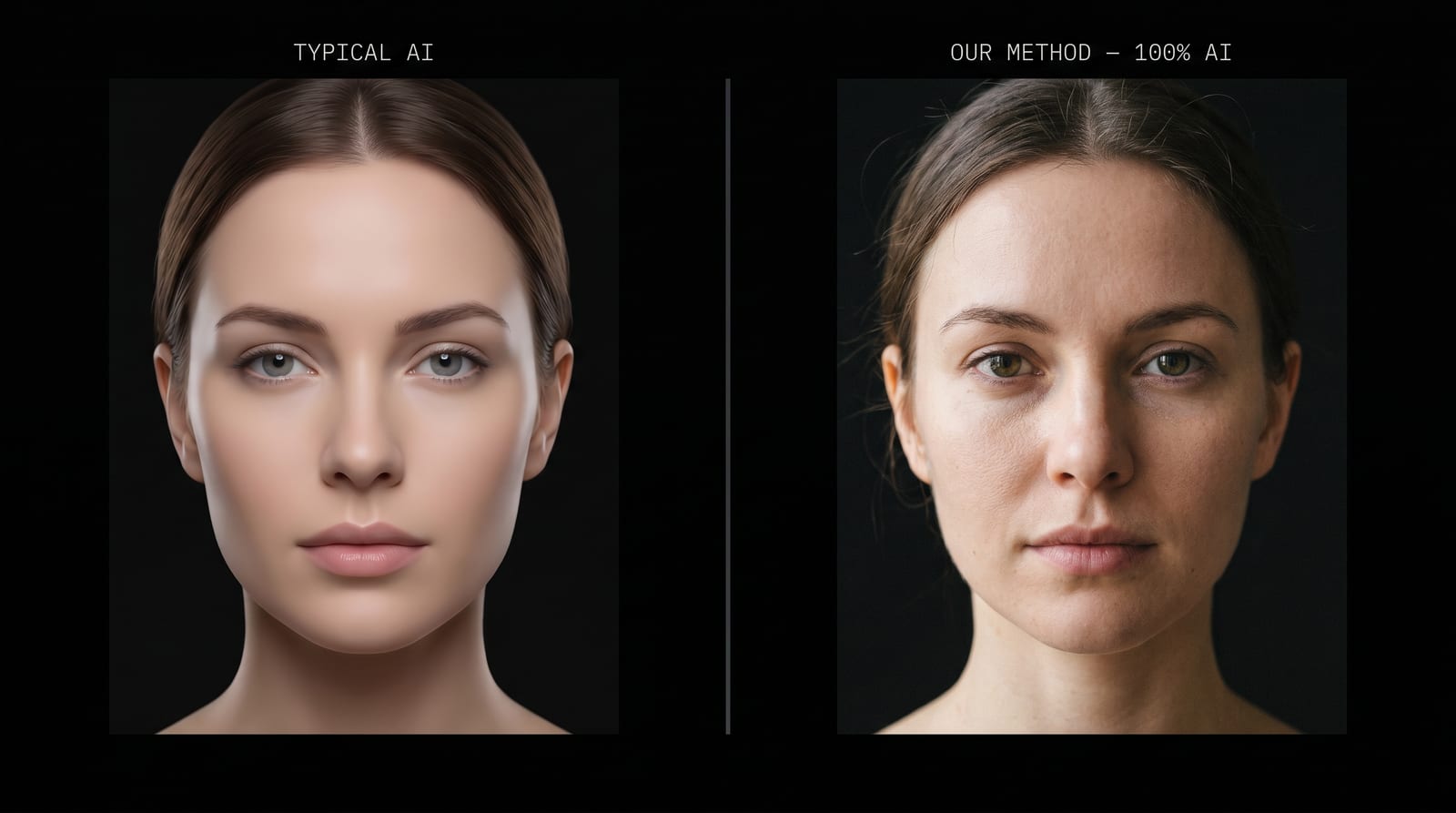
- The “controlled imperfection” craft that makes AI read as real instead of glassy
- Voice, lip-sync and motion-control settings that actually track
- The Claude Code + JSON workflow that turns it into a repeatable production line
- The organic method that turns the videos themselves into the marketing
- Lifetime updates — new models and techniques folded in, no upgrade fee ever
A single module is $299. The complete guide is all ten — plus the connective method that turns them into one workflow. The whole is what actually makes the videos.
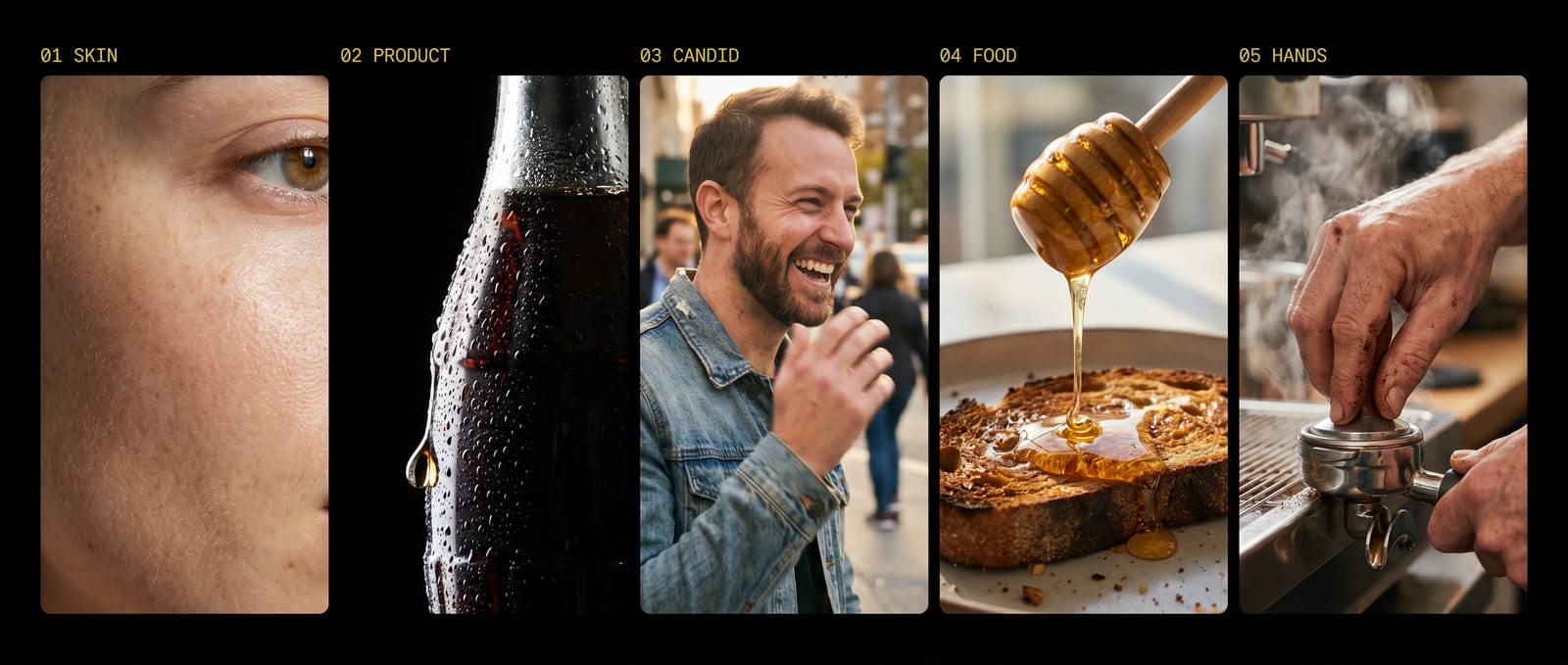
This is the level. Every frame 100% AI.
Skin, product, food, hands — the hardest things to fake, generated with the exact prompts inside. No camera touched any of this.
Get a single module — $299 each.
Not ready for everything? Start where you want. Each module is a complete, standalone piece — and the full guide bundles all ten.
Hyperreal Humans
People that pass as real — the skin formula, imperfection layer, angles, character consistency.
The Talking Spokesperson
A face that talks to camera — voice, lip-sync, and the locked start frame that crosses uncanny.
Motion Control & Mocap
Transfer any real motion to your AI character — the “you vs you” trend, gestures, micro-expressions.
Cinematic Direction & Fantasy Scenes
Stop generating, start directing — storyboard, first/last frame, impossible and cinematic shots.
The Faceless Brand
Be the face of your brand without being you — style-replicated avatar + face-swap.
Product & Ad Films
Blockbuster 3D product and food commercials that look like an agency made them.
The Prompt Vault
The master prompt library by use case — UGC, bullet-time, magazine cover, pets, transitions and more.
Orchestrate with Claude Code
From prompts to systems — pipelines, batch, JSON prompting, campaigns at scale.
The Content Machine
Automate the operation + the viral hooks and trends + the organic method.
Publish, openly AI
Edit, caption, the reveal, disclosure, and the repeatable loop.
Built to be read by your AI, too. Hand the guide to Claude, ChatGPT or Gemini and say “walk me through it” — it’ll pull the exact prompt and next step for the video you’re making right now. A bonus, not a shortcut: the real depth is in reading it yourself.
Straight answers.
What exactly does it cover?
The full range of AI video going viral right now — hyperrealistic people who talk, motion control and dynamics, cinematic and fantasy scenes, faceless brand content, product films, the viral “guru” and product-demo reels — and how to connect the tools into one workflow that produces them. Ten modules. Not one trick: the complete method.
Do I need to show my face?
No. The whole point is building people and scenes that don’t exist. You never get on camera.
What tools does it use, and what do they cost?
Every model that matters, covered openly — for images: Nano Banana Pro, Seedream, Flux; for video and motion: Kling, Seedance, Sora, Veo; ElevenLabs for voice; run through providers like Magnific, Higgsfield or fal.ai; directed with Claude and Claude Code. You’re never locked to one — the guide tells you which to reach for, when, and what each realistically costs.
Is it really all AI?
Yes — the people, the voices, the scenes, the motion. Every clip on this page is 100% AI. Declaring it openly is the hook, not a disclaimer.
Why get everything instead of a single module?
Each module stands on its own. But the videos you’ve seen going viral aren’t one tool — they’re the handoffs between them, in the right order. The complete guide is all ten modules plus the connective method that turns them into one production line. That connective part is the thing no single module can give you.
I’m not a coder — is this too technical?
The prompts are copy-paste. You direct, you don’t build. If you can follow a recipe and paste text, you can run this — the Claude Code and JSON parts are optional power-ups, not requirements.
The models change every month — won’t it go out of date?
That’s exactly why it’s built the way it is. The tools are interchangeable parts; the workflow is the asset. And you get lifetime updates — when a stronger model or technique lands, we fold it into the guide and you already have it, no upgrade fee, ever.
What do I get, and how fast?
A step-by-step blueprint plus a resource pack of prompts, templates and checklists — the complete guide or any single module. One-time payment, instant unlock: it’s in your inbox and on-screen the second you check out.
You’ve seen what’s possible. Now make it.
The complete, connected workflow — hyperrealism, motion, voice, the whole range — openly AI, one guide. Pay once, keep it forever.
Complete today. Current for life. That’s why it’s the last one.
Get the guide — $1,199